

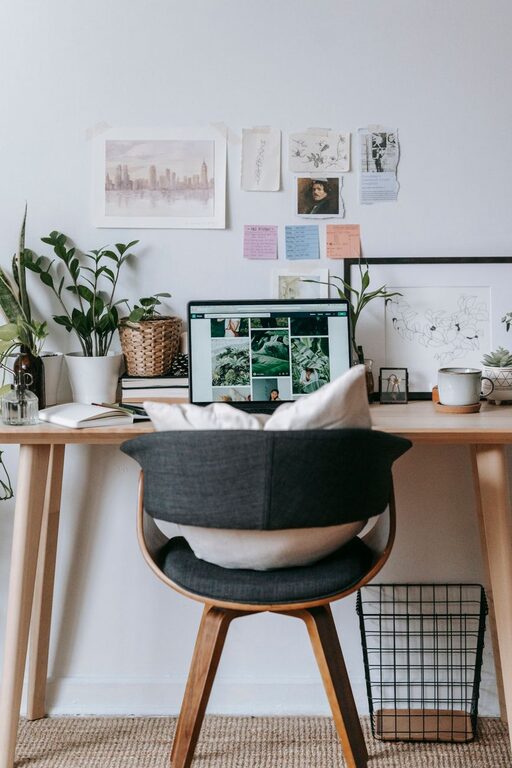
Creating a home office that feels cozy yet remains highly functional can significantly enhance your work-from-home experience. Whether you’re setting up a new space or revamping an existing one, balancing comfort and practicality is key. Here are some helpful tips to guide you in designing a home office that supports your productivity and wellbeing.
1. Choose the Right Location
Prioritize Natural Light
Opt for a spot near a window if possible. Natural light boosts mood and energy, making it easier to stay focused throughout the day. Position your desk to avoid glare on your computer screen but still benefit from sunlight.
Minimize Distractions
Pick a quiet area away from high-traffic zones in your home. If space is limited, consider creating a defined office nook with room dividers or curtains to separate it visually and acoustically.
2. Invest in Comfortable Furniture
Ergonomic Chair and Desk
One of the most important aspects of a functional home office is a comfortable, adjustable chair that supports good posture. Pair it with a desk at the right height to avoid strain on your neck, back, and wrists.
Multi-Functional Pieces
If you have limited space, look for furniture that can serve multiple purposes. For example, a desk with built-in storage or a foldable desk that can be stowed away after work hours.
3. Organize Efficiently
Declutter Regularly
Keep your workspace tidy by removing unnecessary items. A clean desk helps reduce stress and distractions.
Use Storage Solutions
Incorporate shelves, filing cabinets, or drawer organizers to keep documents and supplies neatly sorted. Consider vertical storage to make the most of limited floor space.
Cable Management
Use cable clips, sleeves, or boxes to keep cords organized and prevent tangling. This simple step improves both aesthetics and safety.
4. Personalize Your Space
Add Cozy Touches
Bring in items that make your space feel warm and inviting—a soft throw blanket, cushions, or a small rug can add comfort.
Decorate with Plants
Indoor plants not only improve air quality but also create a calming environment. Choose easy-care varieties like snake plants or pothos if you’re new to plant care.
Display Inspirational Items
Incorporate photos, artwork, or motivational quotes that inspire and uplift you during your workday.
5. Control Lighting and Ambiance
Layer Lighting
Combine natural light with task lighting and ambient lighting for a balanced, flexible setup. A good desk lamp with adjustable brightness can reduce eye strain.
Use Warm Lights
Choose bulbs that emit a soft, warm glow rather than harsh, cool light. This helps create a cozy atmosphere conducive to both focus and relaxation.
6. Enhance Technology Setup
Reliable Internet
Ensure your workspace has a strong and stable internet connection for smooth video calls and efficient workflow.
Quality Equipment
Invest in a good-quality monitor, keyboard, and mouse tailored to your needs. Consider wireless options to reduce clutter.
Keep Essentials Within Reach
Organize your gadgets and office supplies so they’re easily accessible to maintain productivity without interruptions.
7. Manage Noise Levels
Soundproofing Tips
If noise is an issue, use rugs, curtains, and upholstered furniture to absorb sound. Noise-cancelling headphones can also be effective.
Background Music
Some people find soft background music or white noise helpful for concentration. Experiment to see what works best for you.
8. Establish Boundaries
Having a dedicated home office space helps signal the start and end of the workday, making it easier to maintain a healthy work-life balance. At the end of the day, clear your desk and close any doors or curtains to mentally switch off.
—
By thoughtfully designing your home office with these tips, you create an inviting environment that supports focus, comfort, and well-being. Remember, the best workspace is one tailored to your personal needs and style. Take your time, experiment, and enjoy making your home office your favorite place to work!